Downloading Offline Maps Before a Fly-In
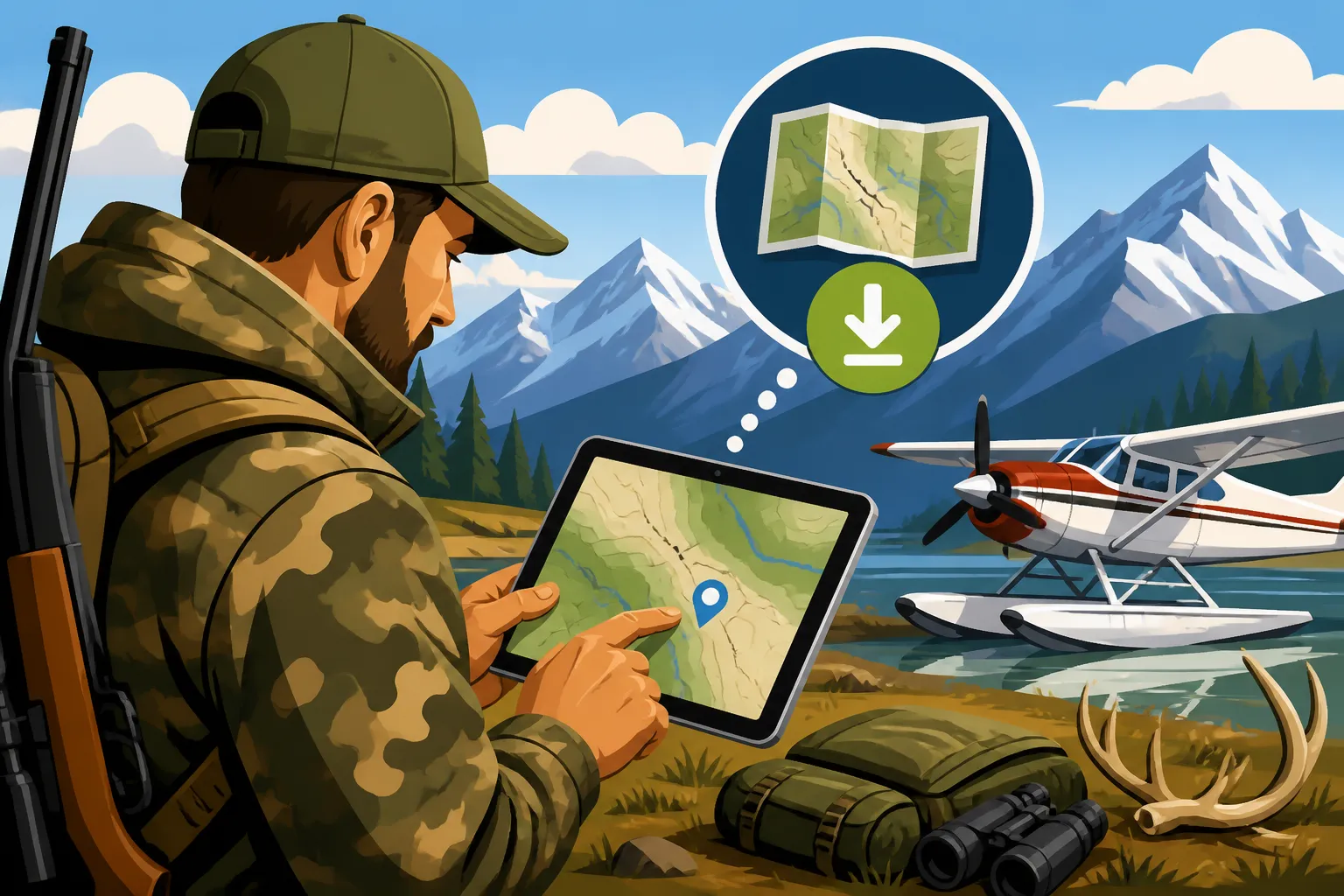
Dropping into the vast, untamed wilderness of Alaska for a hunt is an experience unlike any other, but the sheer remoteness means one thing is for certain: your cell phone signal will be a distant memory. The thought of being miles from civilization, potentially injured, or simply disoriented without a reliable way to navigate is a terrifying prospect for any hunter. This guide will walk you through the essential steps and considerations for downloading offline maps, ensuring you're never truly lost, even when disconnected from the modern world.
Why Reliable Navigation is Non-Negotiable for Alaska Fly-In Hunts
When you're stepping out of a bush plane onto a remote gravel bar or a tundra ridge, you're entering a world where the only "network" is the one Mother Nature provides. Relying on an internet connection for your maps up here is not just optimistic; it's downright dangerous.
The Illusion of Connectivity in the Bush
Let's be real: that little "No Service" indicator on your phone is going to be your constant companion in most of Alaska's prime hunting areas. Forget checking emails, posting to social media, or even looking up a quick fact online. The infrastructure simply doesn't exist. This isn't like hunting a national forest in the Lower 48 where a tower might pop up over the next ridge. In the vast majority of Alaska, especially in the units most fly-in hunters target, you are truly off the grid. This means your digital maps are only as good as the data you've downloaded before you leave any semblance of civilization. Failing to do so can turn a dream hunt into a survival situation faster than you can say "bear scat."
Safety First: Mitigating Risk in Remote Terrain
Getting lost in Alaska isn't just an inconvenience; it can be life-threatening. The weather here is famously fickle, capable of changing from bluebird skies to whiteout conditions in a matter of hours, especially in alpine country. A sudden fog bank can reduce visibility to mere feet, making familiar terrain disappear. If you or a hunting partner sustains an injury, knowing your exact coordinates and how to navigate back to your camp, or to a pre-arranged pick-up point, becomes paramount. Without a reliable, offline map, a sprained ankle can quickly escalate into a full-blown emergency. It's not about being paranoid; it's about being prepared for the inherent risks of hunting in truly wild places, and understanding that when something goes wrong, you are your own first responder.
Optimizing Your Hunt and Recovering Game
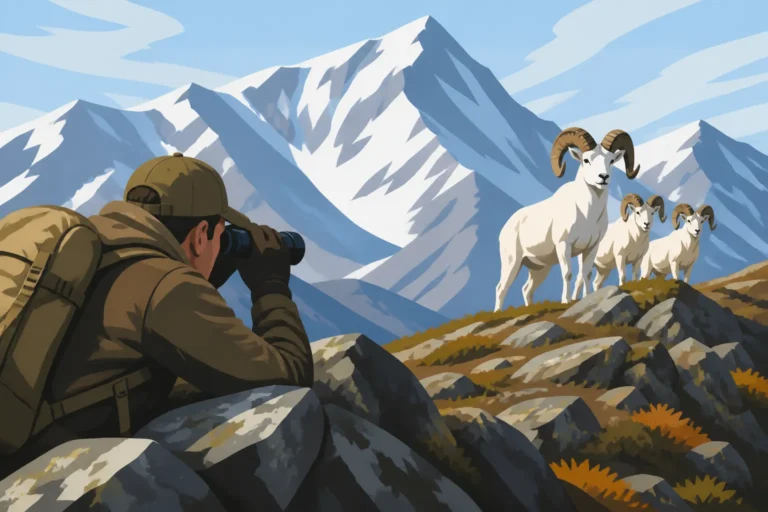
Beyond safety, robust offline mapping significantly enhances your hunting success and efficiency. Imagine spending hours glassing a vast basin, identifying a potential travel corridor for moose or a bedding area for sheep. With an offline map, you can mark these points, create routes, and even track your movements. This allows you to hunt smarter, not just harder. For instance, when you're Glassing the Alaska Range: Finding Game Before You Move, knowing where to put your boot on the ground relative to that far ridge can make all the difference. You can avoid wasted effort, navigate tricky terrain efficiently, and remember those subtle features that led to success.
And what about after the shot? When you've finally connected with a magnificent bull moose or a Dall ram, the work has only just begun. Recovering game, especially as darkness falls or weather closes in, requires precise navigation. Being able to mark the kill site, plot your route back to camp for more supplies, and then return confidently to the animal, often in challenging conditions, is crucial. Without accurate offline maps, trying to find your way back to a downed animal in the twilight, especially if it ran a bit, can turn into a frantic, fruitless search, potentially leading to lost meat and a missed opportunity, making it impossible to meet Alaska Moose Meat Salvage Requirements. This critical step, often linked with Marking a Kill Site Before Dark, demands reliable navigation tools.
Picking the Perfect Offline Mapping Platform and Data for Your Expedition
Choosing the right digital mapping tool is almost as important as choosing the right rifle. Not all apps are created equal, especially when it comes to the unique demands of Alaskan hunting. You need a platform that offers robust offline capabilities, detailed base layers, and user-friendly features.
Popular Mapping App Choices for Alaska
Several excellent mapping applications cater to hunters, each with its own strengths. Your choice often comes down to personal preference, specific features, and how well it integrates with your existing gear or planning routine.
- Gaia GPS: A favorite among many backcountry enthusiasts, Gaia offers a wide array of map layers, including multiple topographic maps (like USGS and Forest Service), satellite imagery, and even public/private land ownership layers. Its strength lies in its customization and robust track recording capabilities, making it excellent for planning intricate routes and reviewing your movements post-hunt. Many hunters appreciate its ability to download large areas for offline use with various map types.
- onX Hunt: This app has gained immense popularity for its comprehensive land ownership data, which is invaluable for identifying federal, state, borough, and Native corporation lands – a critical distinction in Alaska where access can be complex. onX also provides detailed satellite imagery, topo maps, and species-specific layers. It's particularly user-friendly for quickly identifying "huntable" land and avoiding trespass.
- BaseMap: While perhaps not as widely known as onX or Gaia, BaseMap offers similar features, including property boundaries, multiple map layers, and robust waypoint and track management. It aims to be an all-in-one outdoor navigation tool, and its interface is clean and intuitive for many users.
- GoHunt: For hunters specifically focused on drawing permits and research, GoHunt's Insider platform provides incredible value, not just for its detailed data analytics for drawing permits, but also for its mapping capabilities. While its mapping might not be as exhaustive in terms of sheer layer variety as Gaia, it's tailored for hunters, often integrating specific hunt unit boundaries and harvest statistics directly into the map view. If you're already using GoHunt for your pre-season scouting and Scouting a Unit From Satellite Imagery Before You Fly, its integrated mapping feature can be a seamless extension of your planning process, keeping all your research in one ecosystem. This helps streamline the data you're taking into the field, ensuring you have all your critical information at your fingertips, even when offline.
When making your choice, consider if the app provides specific features like a "hunt mode" or if it allows easy import and export of GPX files for sharing with hunting partners or transferring between devices.
Essential Data Layers for the Alaskan Hunter
A base map is just the beginning. To truly navigate Alaska effectively, you need to download several critical data layers for your chosen hunting area:
- Topographic Maps: These are your bread and butter. They show contour lines, elevations, drainages, and other terrain features vital for understanding the lay of the land, planning routes, and finding game. Look for options like USGS 24K or 1:63,360 scale maps.
- Satellite Imagery: Often available in high resolution, satellite imagery gives you a real-world view of the terrain – identifying timber stands, willow thickets, open tundra, glaciers, and water bodies. This is incredibly useful for scouting from afar and confirming what the topo map suggests.
- Public/Private Land Ownership: As mentioned with onX Hunt, understanding land status is crucial. Many areas in Alaska have a complex patchwork of state, federal (National Park, Preserve, Refuge, Forest), and Native corporation lands. Some lands may require permits or have specific restrictions. Downloading this layer ensures you're hunting legally and ethically.
- Trail Data/Historical Routes: While many fly-in areas won't have established trails, some apps include historical routes, game trails, or even old mining paths. These can be helpful for finding easier travel corridors, particularly if you're in an area with some human history.
Understanding Map Scales and Resolution
Think of it like a photograph: the more pixels, the clearer the image when you zoom in. The same applies to maps. When downloading, pay attention to the scale or zoom level. For detailed navigation in your immediate hunt area, you'll want high-resolution downloads, equivalent to a 1:24,000 or even 1:12,000 scale map. However, downloading an entire Game Management Unit at this resolution would consume massive amounts of data and storage.
The best practice is to download your core hunting area at the highest available resolution for detailed navigation, and then download progressively larger surrounding areas at lower resolutions (e.g., 1:100,000) to provide context and for emergency exit routes. This tiered approach saves storage space while ensuring you have the detail you need when you need it most.
Your Step-by-Step Guide to Downloading and Preparing Offline Maps
Preparing your maps isn't something you do last minute; it's a critical part of your pre-hunt planning, ideally completed weeks before you even pack your bags. This process should always be done at home, where you have a reliable, high-speed internet connection.
Defining Your Hunt Area and Beyond
Before you hit the download button, you need to precisely define the geographical boundaries you'll be operating within. This isn't just your immediate hunting spot; it's also potential game movement corridors, alternative glassing knobs, and, crucially, emergency exit routes.
Start by marking your proposed camp location and primary hunting grounds. Then, expand that bubble significantly. Think about where you might walk if pushed by weather or if you had to Recovering a Moose Downed in a Beaver Slough that took you further afield than anticipated. Consider neighboring drainages or mountainsides. It’s better to have too much map data than not enough. For example, if you're planning to hunt sheep in a specific basin, download that basin in high detail, but also download the adjacent basins and the entire approach/exit corridor, even if at a lower resolution. Remember that your transporter pilot will drop you off and pick you up, and unexpected weather can always shift plans, so knowing your options from alternate gravel bars or high points is key.
The Downloading Process: A Generic Walkthrough
While each app has its nuances, the general process for downloading offline maps is similar:
- Open Your Chosen App: Ensure you're logged in and have an active subscription if required.
- Navigate to Your Hunt Area: Use the search function or pan and zoom manually to center your map on the primary area of interest.
- Initiate Download: Look for a "Download Maps," "Save Offline," or similar option. This is often found in a menu, as a dedicated button, or by long-pressing an area on the map.
- Select Area and Zoom Levels: You'll typically be prompted to select an area (often a square or rectangle you can drag and resize) and the maximum zoom level (resolution) for the download. As discussed, select the highest resolution for your core area and lower resolutions for surrounding areas. Some apps allow you to stack different map types (topo, satellite, land ownership) in a single download.
- Name and Save: Give your downloaded map region a descriptive name (e.g., "Unit 13A Sheep Hunt 2024") and confirm the download.
- Repeat for All Critical Layers: If your app doesn't bundle layers, repeat the process for satellite imagery, land ownership, and any other crucial data sets.
This process might take a while depending on the size of the area and the resolution you choose. Ensure your device has enough storage space, as high-resolution satellite imagery can be quite large.
Creating Waypoints, Routes, and Pre-Marked Data
This is where you turn your general map into a personalized hunting guide. Before you even set foot in Alaska, you should be populating your offline maps with key information:
- Camp Locations: Mark your primary camp and any potential spike camp locations, like where you might set up a Setting Up a Spike Camp Above a Sheep Basin.
- Water Sources: Identify known springs, creeks, or lakes. Water is life, and knowing where to find it is crucial.
- Game Sign/Concentration Areas: Based on your pre-scouting (from satellite imagery, previous hunt reports, or knowledge of the species), mark historical game crossings, feeding areas, or bedding zones.
- Terrain Features: Label significant peaks, passes, canyons, or unique rock formations that will serve as visual navigation aids.
- Emergency Rendezvous Points: Mark any alternative pick-up spots your air taxi pilot might use in case of weather or other issues.
- Planned Routes: Draw out your intended travel paths, whether for daily hunts or longer excursions. This helps you visualize elevation changes, distances, and potential obstacles.
Practice at Home: Familiarity is Key
Once your maps are downloaded and annotated, don't just put your phone away. Spend time with the app, even in your living room. Zoom in and out, pan around, practice dropping waypoints, and simulating navigation. Turn off your Wi-Fi and cell data to ensure the offline maps truly work. Get comfortable with all the features, so when you're under pressure in the field, using the app is second nature. This practice builds muscle memory and confidence, which are invaluable when navigating real-world, high-stakes scenarios.
Redundancy, Battery Management, and Field Verification for Unwavering Confidence
Even the best digital tools can fail. Screens crack, batteries die, and technology sometimes has a mind of its own. That's why building redundancy into your navigation plan and meticulously managing power is just as important as the initial map download.
The Golden Rule: Multiple Devices and Physical Backups
Never, ever rely on a single device for navigation in remote Alaska. This cannot be stressed enough.
- Two Digital Devices Minimum: At a bare minimum, have your offline maps downloaded on both your primary smartphone and a secondary device, like an old smartphone, a tablet, or a dedicated handheld GPS unit. A dedicated GPS unit like a Garmin InReach (which doubles as a satellite messenger) is an excellent choice, as it's often more rugged and has better battery life than a phone. This way, if one device fails (drops in a creek, screen cracks, or simply dies), you have an immediate backup. Many hunters will pair a full-featured mapping app on their phone with a simpler, more rugged GPS or satellite messenger for InReach Check-In Schedules for Solo Hunts and basic navigation.
- The Unbeatable Paper Map and Compass: Despite all the digital wizardry, a physical, waterproof paper map of your hunt area and a reliable compass are non-negotiable backups. They require no batteries, are impervious to electronic failure, and can be used in any conditions. Before your hunt, ensure you know how to orient your map, take bearings, and plot your position using basic Compass Bearings When Fog Shuts Down Glassing techniques. This isn't just nostalgia; it's pure survival sense.
Power Management: Keeping Your Lifeline Alive
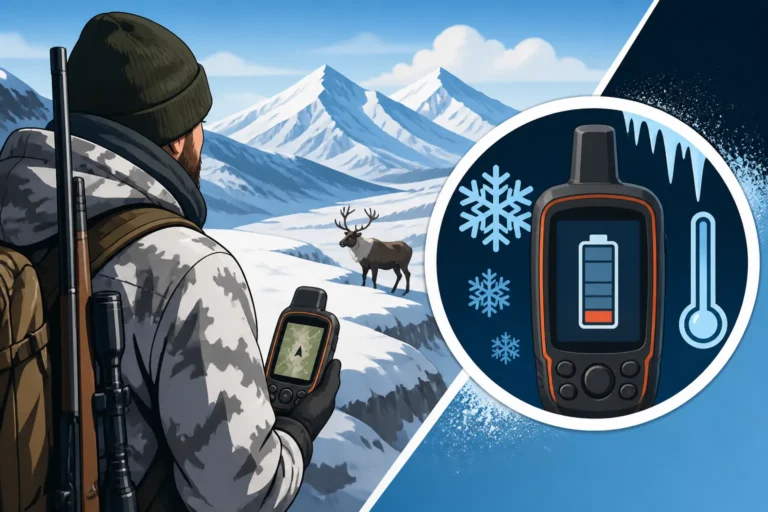
Batteries are the Achilles' heel of digital navigation. In cold weather, battery life plummets. In remote camps, recharging is a luxury.
- Portable Power Banks: Carry multiple high-capacity power banks (20,000 mAh or more) to recharge your devices. Test them beforehand in cold conditions to understand their efficiency.
- Solar Chargers: While slower and less reliable in consistently cloudy weather, a compact solar charger can be a useful trickle-charge solution for dedicated GPS units or smaller devices over an extended hunt.
- Conserve Power:
- Airplane Mode: Keep your phone in airplane mode at all times in the field. This saves significant battery life by turning off constant searching for non-existent cell signals.
- Screen Brightness: Keep screen brightness as low as possible while still being readable.
- Close Unused Apps: Ensure no other applications are running in the background.
- Turn Off Location Services When Not Actively Navigating: Only activate GPS when you need a position update.
- Keep Warm: Store devices and power banks close to your body or inside your sleeping bag at night to protect them from extreme cold, which rapidly drains batteries. Understanding GPS Battery Life in Cold Camps is critical.
Field Verification: Trust, But Verify
Upon landing at your remote drop-off point with your air taxi pilot, take out your primary navigation device and verify your location on the map. Does it match where you visually believe you are? This immediate check confirms your GPS is working and your downloaded maps are accurate for that specific location.
Throughout your hunt, regularly verify your position against known landmarks on your map. Don't wait until you're lost to start checking. Use natural features like mountain peaks, drainages, or unique rock formations to confirm your map's accuracy and your position. This builds confidence and helps you internalize the terrain, so even if a device fails, you have a better mental picture of your surroundings.
| Feature / App | Gaia GPS | onX Hunt | BaseMap | GoHunt Mapping (Insider) |
|---|---|---|---|---|
| Offline Maps | Excellent | Excellent | Excellent | Good |
| Topo Maps | Multiple Layers | Good | Good | Integrated |
| Satellite Imagery | High Res | High Res | High Res | Good |
| Land Ownership | Good | Excellent | Excellent | Integrated |
| Waypoint/Route | Excellent | Excellent | Excellent | Good |
| Hunt Unit Overlays | Yes | Yes | Yes | Excellent (Core Feature) |
| Price (Annual) | ~$39.99 | ~$29.99 | ~$34.99 | ~$149 (with full Insider) |
| Ease of Use | Moderate | High | High | High |
By taking the time to meticulously plan, download, and backup your navigation tools, you're not just preparing for a hunt; you're investing in your safety and increasing your chances of a successful, memorable Alaskan adventure.
Disclaimer
The information provided in this guide is for general informational purposes only and does not constitute professional advice. Hunting in Alaska carries inherent risks, and conditions can change rapidly. Always consult the latest Alaska Department of Fish and Game regulations, ensure you have appropriate licenses and permits, and prioritize safety. Relying solely on digital navigation tools without physical backups is not recommended. The author and publisher are not responsible for any accidents, injuries, or legal issues that may arise from the use of this information.